Sharing GitHub Updates on Discord Through Webhooks
If you like notifying your Discord server for commits, try Webhooks.

I haven’t been writing lately so here’s a quick way to send updates to a Discord server. I only just find out and learned about it recently through work. If you’re a developer and you communicate on Discord a lot (like me), you might want to have this webhook tool to enhance your server.
To send GitHub notifications of a select repository to a Discord channel, head straight to your select Discord server.
Creating the Webhook
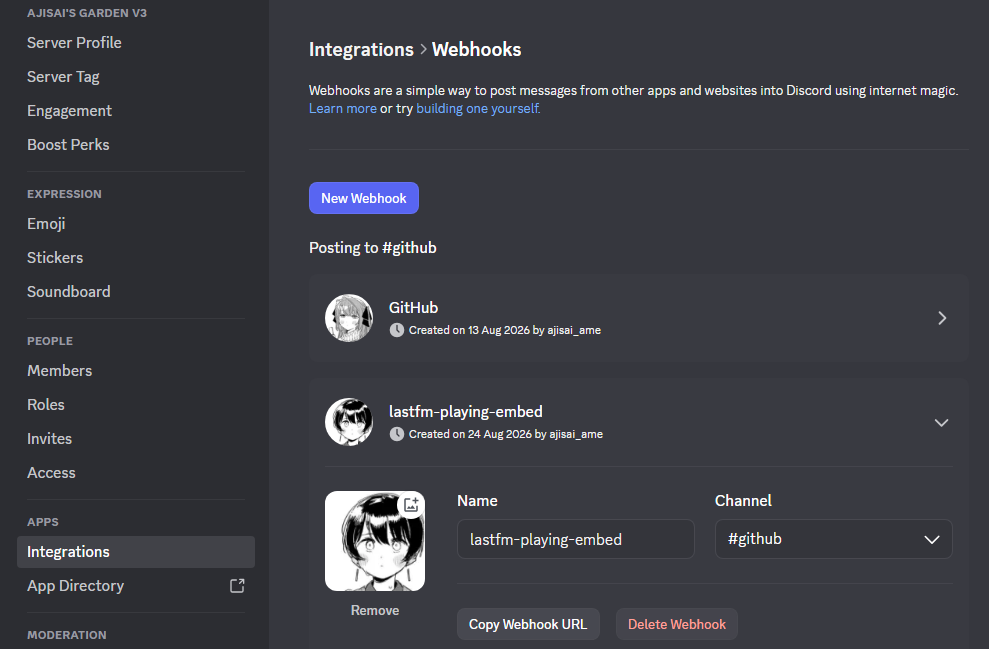
- Open your server’s Server Settings
- Look down to the left sidebar and locate Integrations, under the Apps tab.
- Click Webhooks then click the New Webhook button.
- Give your webhook a name and choose a channel to send notifications to.
- Click Copy Webhook URL.
- Save your changes.
Configuring the Webhook in GitHub
- Visit GitHub and choose a repository of your own.
- Go to the Settings tab found at the top of the repository page.
- From the left sidebar, go to Webhooks. Click the Add webhook button above.
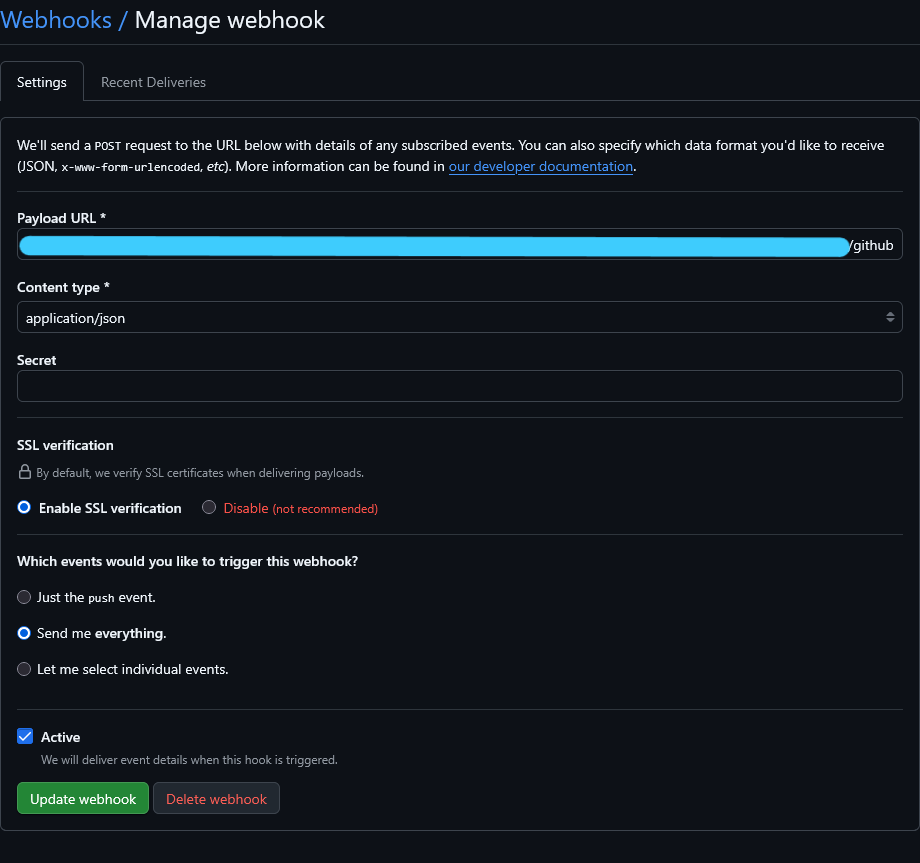
- In the Payload URL field, paste the Webhook URL you copied from Discord.
- Most importantly, add
/githubat the end of the URL string. - Apply Content Type:
application/jsonand SSL Verification: Enable - You can choose which events you’ll be sent notifications with. You’re given an option to only be notified of pushes or select any event you want. If you don’t care, just choose Send me everything, which I opted for.
- Leave Active checked.
- Click Update Webhook when you’re done.
Testing the Webhook
If everything’s correct (make sure you’ve appended /github at the end of the URL), the webhook is ready to fire.
- Go back to your repository that you added the Webhook with.
- The easiest way to be notified is by giving the repository a star. You can also add a comment or hit push.
- Check the channel you allowed the Discord webhook in.
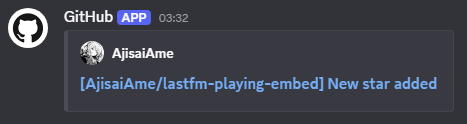
Now, you’ll be notified whenever anything new occurs with the repository. If it gets too annoying you can always dial it down. As mentioned at the start, this webhook was helpful in my work to acknowledge every contributor’s commits, pushes, pull requests, and comments.